This tutorial describes how to view and interpret the detailed statistics of a newsletter or message published on We Advocacy.
1. Access a publication's statistics
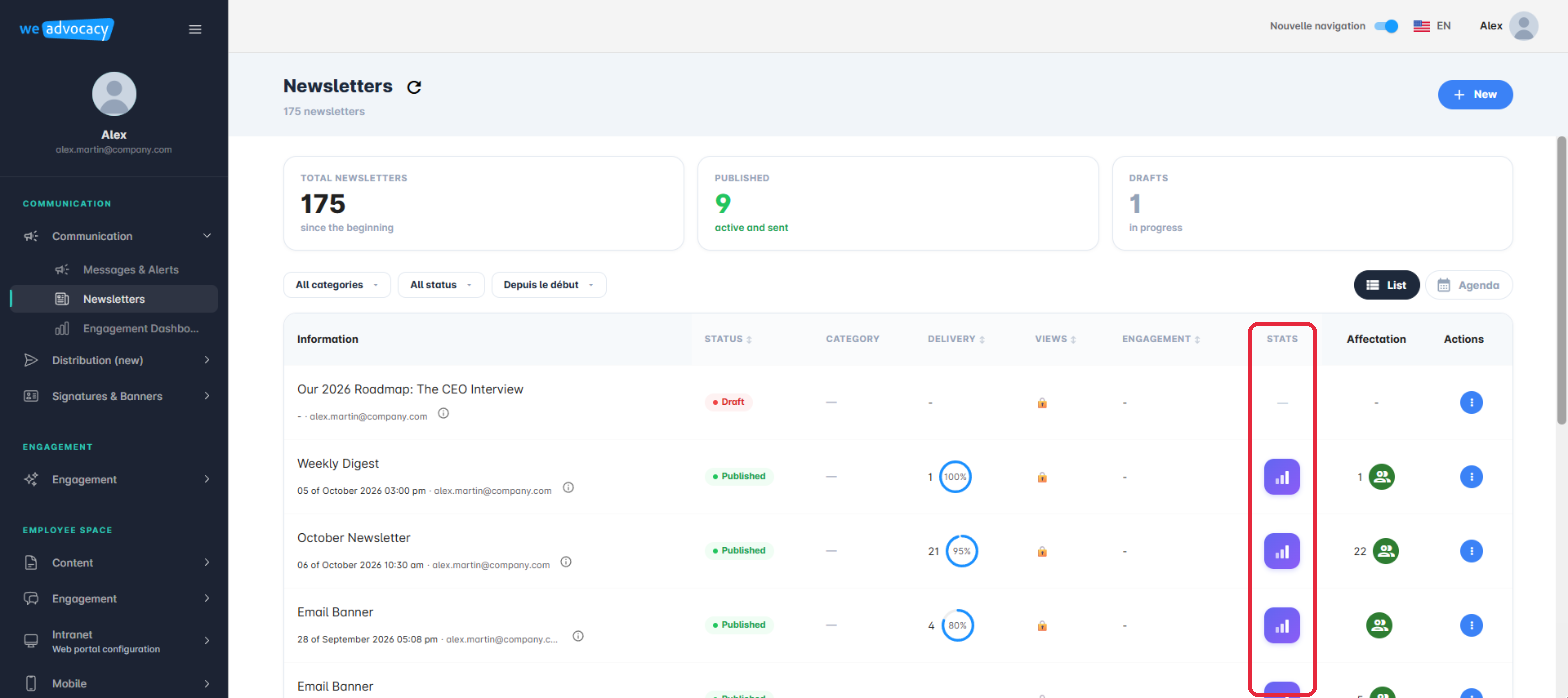
From the left-hand menu, open Communication, then Newsletters (or Messages & Alerts). In the dashboard, look for the Stats column: for any publication that has already been sent, a graph-shaped icon is displayed there. Click this icon to open the publication's detailed statistics page.
2. Read the overall indicators
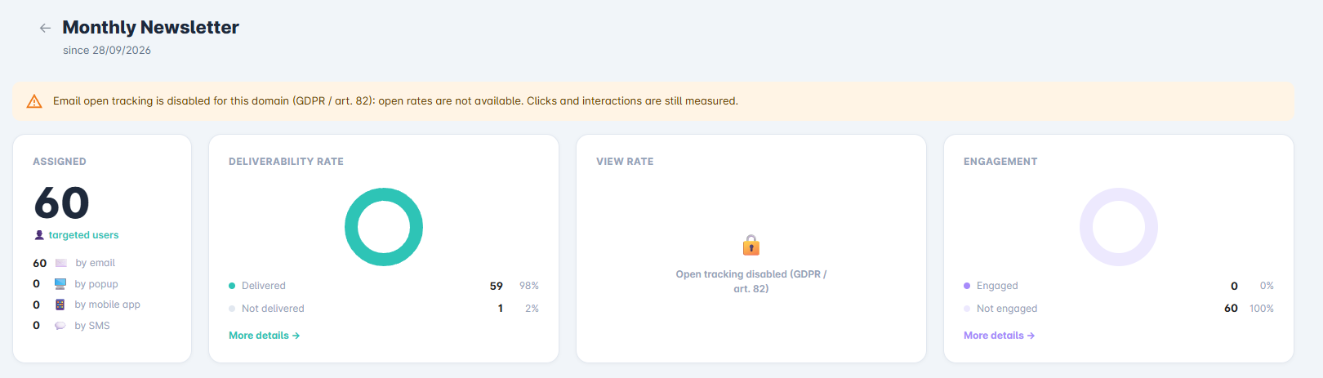
At the top of the page, four blocks summarise the distribution:
- Assigned: the number of targeted users, broken down by channel (email, popup, mobile app, SMS);
- Deliverability Rate: as a ring chart, the share of recipients who successfully received the publication (Delivered / Not Delivered);
- View Rate: the share of recipients who read it (Read / Unread);
- Engagement: the share of recipients who interacted with the content (Engaged / Not Engaged).
A More details link, under each of the last three blocks, gives access to the named list of the users concerned.
3. Analyse the interactive modules
Further down, the Interactive Modules section for the newsletter (or message) shows, for each interactive block inserted in the content — for example a Like block — the participation details: total number of responses, average interaction rate, and a breakdown by item. For a like block by article, you can see the number of likes each article received and which one performed best.
4. Get a consolidated view
For a consolidated view across several publications and over a given period, rather than at the level of a single newsletter or message, refer to the article “How to read the Monthly Report (Engagement Dashboard)?”, which presents your organisation's overall engagement dashboard.
You now know how to read and interpret the statistics of a newsletter or message.
Cet article a-t-il été utile ?
C'est super !
Merci pour votre commentaire
Désolé ! Nous n'avons pas pu vous être utile
Merci pour votre commentaire
Commentaires envoyés
Nous apprécions vos efforts et nous allons corriger l'article